
How to clear TikTok reposts: every question answered
TikTok has no clear-all button for reposts. Here is how to clear TikTok reposts one by one, how to clear all of them at once with UnReposter, and answers to every question people ask along the way.
Updated 10 min read
The Repost button sits in the top-left corner of TikTok’s share sheet, which is right where your thumb goes when you reach up to dismiss it. After a few years of that, most profiles have hundreds of reposts nobody meant to make. Your followers see them in their feed, and anyone who visits your profile can open the tab and scroll through them.
This guide answers the questions people actually ask when they decide to clear their TikTok reposts: how to do it by hand, how to do it all at once, what clearing does and does not change, and what to do when it does not work.
What does “clearing TikTok reposts” actually mean?
It means removing videos from the Reposts tab on your profile (the loop-arrow icon). Each repost is a link to someone else’s video that TikTok shows to your followers as if you recommended it. Clearing a repost removes that link. It does not touch the original video.
If you are not sure what counts as a repost compared with a share, a like or a favorite, this comparison explains which ones are public.
Can you clear all TikTok reposts at once?
Not inside TikTok. The app has no multi-select in the Reposts tab, no “select all” and no clear-all option in settings. Every repost has to be opened and removed on its own.
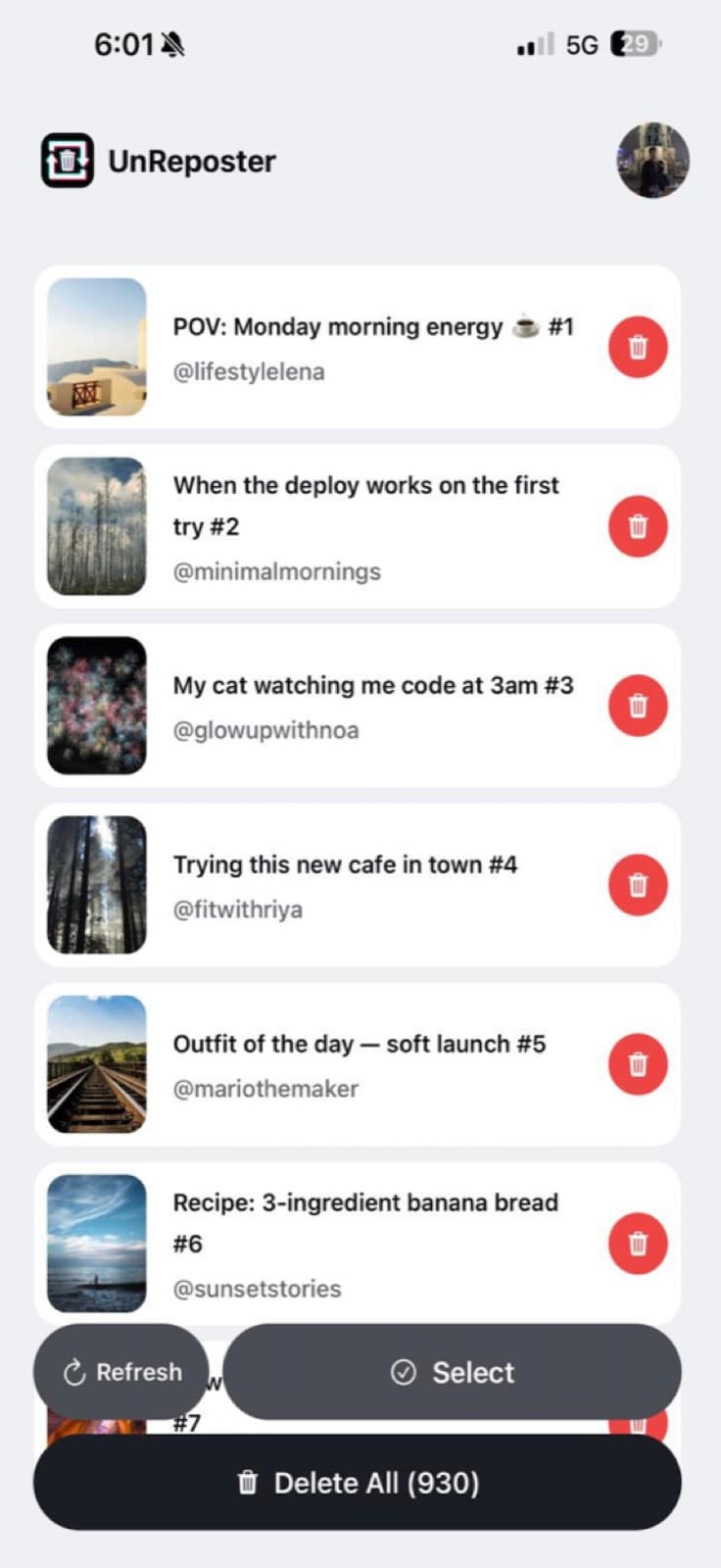
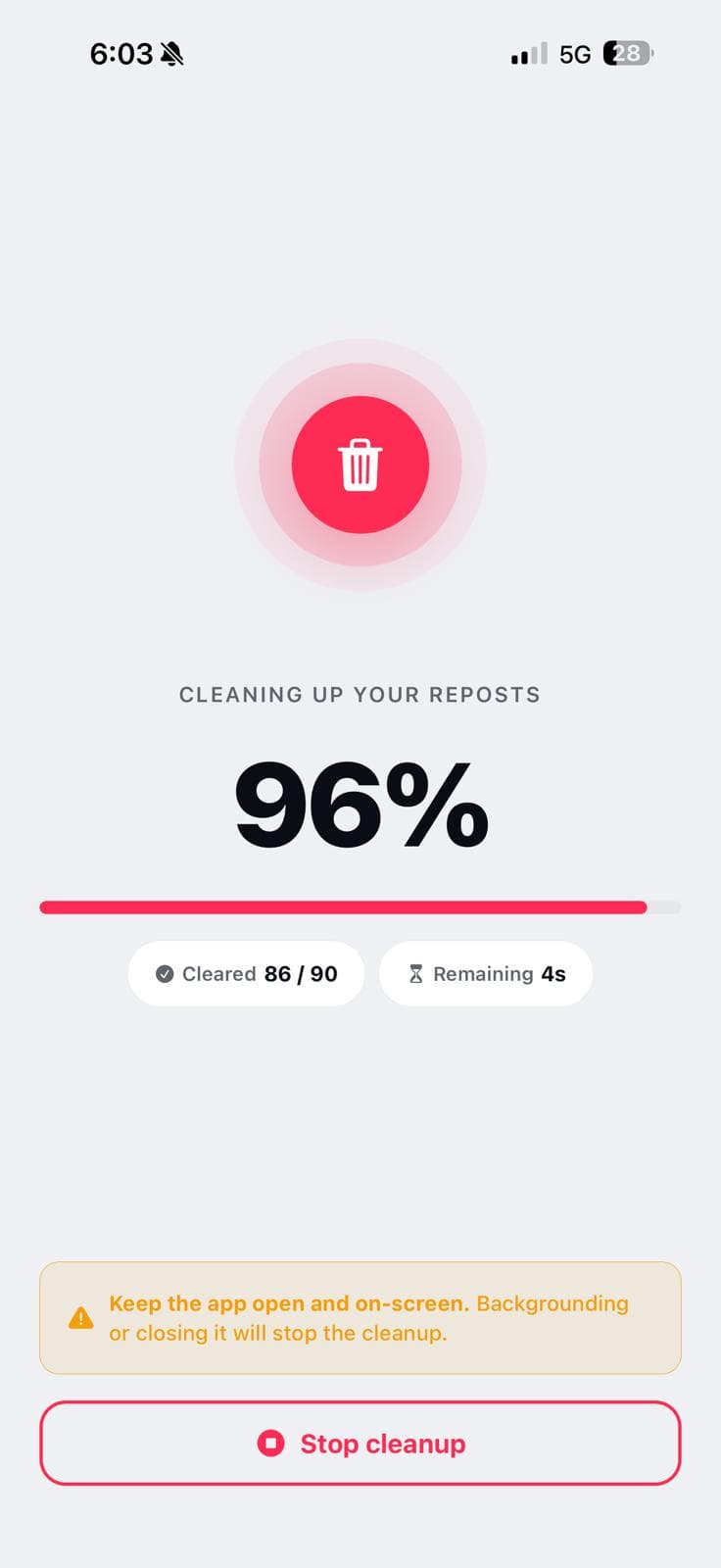
You can with UnReposter. UnReposter is an Android app built to do one job: clear your TikTok reposts in bulk. It reads the same repost list TikTok shows you, puts all of it in one searchable list on your phone, and removes whatever you select in a paced queue. Every removal uses the same “remove repost” action TikTok runs when you tap the button yourself.
How do I clear all my TikTok reposts with UnReposter?
Setup takes about five minutes. After you start the queue, the removals run on their own.
Install UnReposter on Android
Get UnReposter from Google Play. It is free to install, and loading your full repost history costs nothing.
Sign in to TikTok on your own device
Log in through TikTok’s own login screen inside the app. The session stays on your phone; your password is never sent to us.
Load every repost
UnReposter pages through your whole repost history, including the years-old ones you would never scroll down to in TikTok.
Pick what to clear
Select everything, or use search and date filters to keep the reposts you still like and clear the rest.
Start the queue
Removals run one after another at a pace TikTok accepts, with a live counter. You can put the phone down while it works.
How do I clear TikTok reposts by hand, one at a time?
If you only have a handful, TikTok’s own button is fine:
Open the Reposts tab
Go to your profile and tap the loop-arrow icon in the row of tabs under your bio.
Open a reposted video
Tap any video in the grid to open it full screen.
Tap the share arrow
The share sheet opens from the bottom of the screen.
Tap Remove repost
It is in the same top-left spot where Repost was. When it has worked, the label changes back to Repost.
Go back and repeat
Return to the Reposts tab, find where you were, and do the next one.
Can’t find the tab? Here is where your repost history lives.
Should I clear reposts by hand or with an app?
It depends on how many you have. Each manual removal takes about eight seconds once you count the time spent finding your place again, so the maths is simple:
Clearing by hand in TikTok
- Fine for under ~30 reposts
- ~8 seconds of tapping per repost
- 500 reposts ≈ over an hour of your time
- List reshuffles and you lose your place
- No way to keep some and clear the rest quickly
Clearing with UnReposter
- Built for hundreds or thousands of reposts
- Full history in one searchable list
- Search, date filters and multi-select
- Queue runs unattended with a live counter
- Sign-in and data stay on your phone
For real numbers by backlog size, see how long it takes to delete TikTok reposts.
Can I keep some reposts and clear the rest?
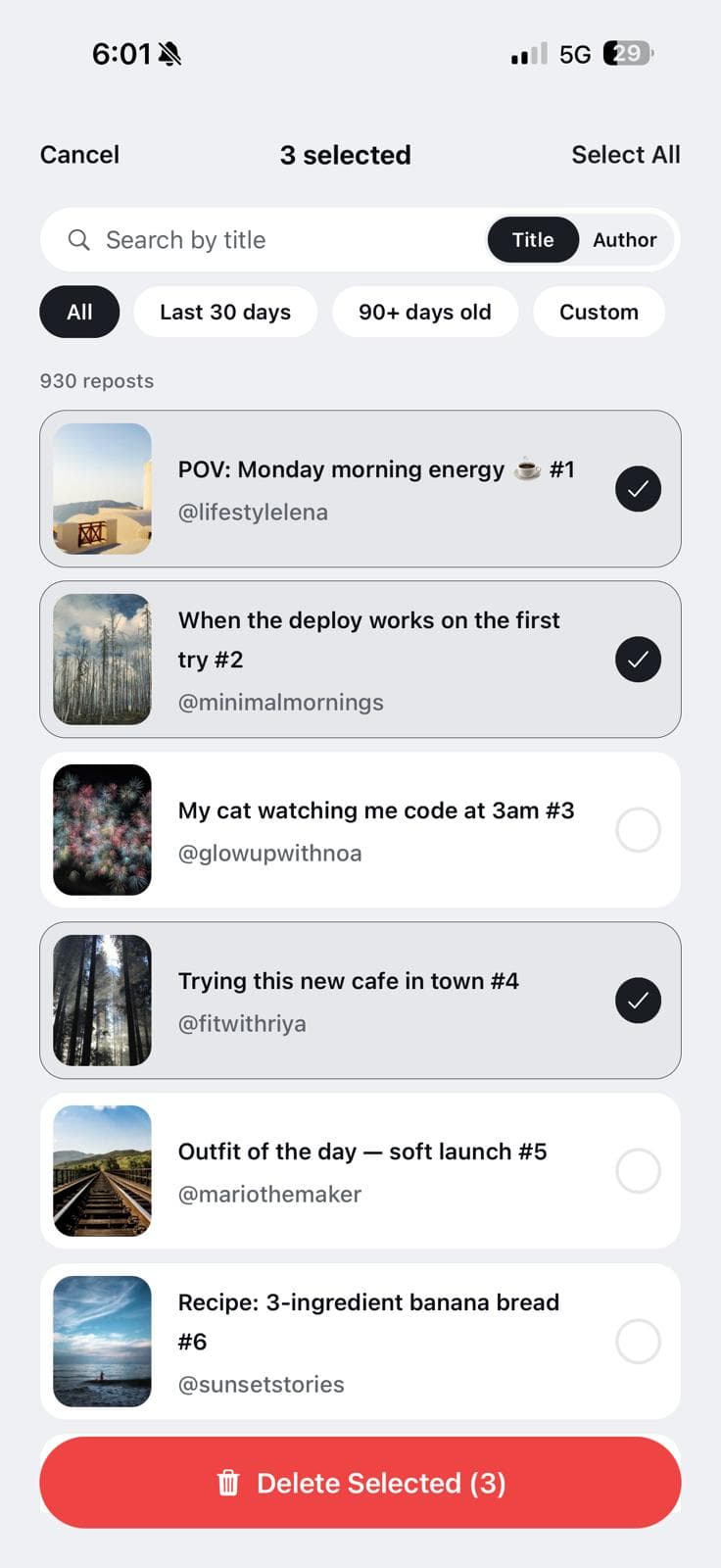
Yes, and this is where clearing by hand gets hardest. In TikTok you have to judge each video as you scroll past it. In UnReposter you narrow the list first:
- Search by caption or creator. Find every repost of one account and keep or clear them together.
- Filter by date. Clear everything older than 90 days and keep what you reposted this month, or pick your own range.
- Multi-select. Tick what goes, untick what stays, and start the queue.
What happens when I clear a TikTok repost?
Does the creator get notified?
No. TikTok sends no notification when you remove a repost, not to the creator and not to your followers.
Does it delete the original video?
No. The creator’s video, its views, likes and comments are not affected. Only your repost of it is removed.
Does it disappear from my followers’ feeds?
Yes. A cleared repost stops showing as a recommendation from you. If a follower already saw it, that view does not reverse, but it will not be shown to anyone again because of you. More on visibility in who can see your TikTok reposts.
Can I undo it?
There is no trash folder or undo for reposts. To restore one you have to find the original video again and tap Repost. That is why UnReposter shows thumbnails, captions and creators before you clear anything.
Is there a limit on how many reposts I can clear per day?
Yes. TikTok limits how many reposts an account can remove in a rolling 24-hour window. This applies to everyone and every method, including doing it by hand. Once you cross it, removals stop taking effect, usually without a clear error.
UnReposter is built around this limit instead of ignoring it. Requests are spaced out, and the queue stops cleanly if TikTok starts refusing, so you can see exactly where it stopped and pick up the next day. Its own daily limits are:
- Free: up to 100 removals a day.
- Premium: up to 1,000 removals a day, with no cooldown between deletions.
Is it safe to clear TikTok reposts with an app?
It depends on how the app signs you in. Avoid any website that asks for your TikTok username and password in its own form. You would be handing your account to a stranger.
UnReposter works differently:
- You sign in through TikTok’s own login screen, on your own phone.
- Your session and your repost list are stored on the device. They are not uploaded to our servers.
- Removals are paced and stop on repeated rejections instead of retrying aggressively.
You can check this yourself: once your repost list has loaded, turn on airplane mode. The list is still there, because it never left your phone.
How much does it cost to clear TikTok reposts?
Clearing them by hand in TikTok is free; it just costs time. UnReposter has a free tier and an optional Premium upgrade:
- Free: load your full repost history, search and filter it, and remove up to 100 reposts a day.
- Weekly Premium ($4.99/week): enough for one big cleanup. Clear every repost in one run, up to 1,000 a day, no cooldown. Cancel anytime.
- Lifetime Premium ($19.99 once): the same features with no subscription, for people who repost often and want to clear the list again later.
Full details are on the pricing page.
Can I clear TikTok reposts on iPhone or on a computer?
On iPhone: TikTok’s one-at-a-time button works the same as on Android. UnReposter is currently on Android, but reposts belong to your TikTok account, not your phone. Clearing them from any Android device clears them on your iPhone too.
On a computer: the TikTok website has no repost manager, so by hand it is the same one-by-one job on a bigger screen. UnReposter also has a Chrome extension for clearing reposts from desktop. See deleting TikTok reposts on a PC for both routes.
Why won’t my TikTok reposts clear?
The usual causes, most common first:
- You hit the daily limit. Removals silently stop working. Wait 24 hours and continue.
- The tab shows a stale list. The repost is gone but the grid has not refreshed. Pull down to reload.
- A slow or dropped connection. The tap registered on your phone but never reached TikTok.
- An outdated TikTok app. Update it and try again.
The full checklist is in TikTok repost will not delete.
How do I stop reposts from building up again?
Clearing fixes the past. To keep the tab from filling up again:
- Slow down in the share sheet. Most accidental reposts come from tapping the top-left corner while dismissing the sheet.
- Limit who can see them. TikTok’s privacy settings let you restrict the Reposts tab. Steps in how to hide or turn off TikTok reposts.
- Clear them regularly. With UnReposter Lifetime, clearing the last month’s reposts is a date filter and one tap, so a quick monthly cleanup keeps your profile tidy.
The bottom line
If you have a few reposts, clear them in TikTok with the share arrow and Remove repost. If you have years of them, clearing by hand is an evening of tapping that TikTok’s daily limit will interrupt anyway. UnReposter clears all your TikTok reposts from one list: load everything, keep what you want, start the queue and put the phone down. For the full walkthrough, see how to delete TikTok reposts.
Frequently asked questions
Can you clear all TikTok reposts at once?
How do I clear a single repost on TikTok?
Does clearing a repost notify the creator?
Does clearing reposts delete the original video?
Is there a limit to how many TikTok reposts I can clear per day?
Is UnReposter safe to use?
Is UnReposter free?
Is UnReposter available on iPhone?
Can I keep some reposts and clear the rest?
Can I get my reposts back after clearing them?
Keep reading
How long does it take to delete all your TikTok reposts?
Around eight seconds per repost by hand — so 500 reposts is about an hour of solid tapping, and TikTok’s daily limit can stretch a big cleanup across several days. Here are the real numbers.
TikTok repost will not delete? Every fix that actually works
Remove repost does nothing, the video comes back, or the button is missing entirely. Here is what each symptom means and the fix for it, including the rate limit that silently blocks bulk cleanups.
How to hide or turn off TikTok reposts
There is no switch that disables reposts or hides the tab. Here are the four things you can actually do, what each one costs you, and which one is the only permanent fix.